> For the complete documentation index, see [llms.txt](https://docs.hockeystack.com/llms.txt). Markdown versions of documentation pages are available by appending `.md` to page URLs; this page is available as [Markdown](https://docs.hockeystack.com/release-notes/2025/october-20-2025.md).
# October 20, 2025
## Marketing Intelligence
### **LinkedIn Conversions Now Available**
LinkedIn Conversions API enables you to stream key conversion events directly from your CRM or analytics to LinkedIn Ads. This provides accurate, post-click and post-view attribution for your campaigns, helping you measure down-funnel impact and optimize ad performance.
Learn more in our detailed guide: [LinkedIn Conversion](/integrations/ad-platforms/linkedin-ad-impressions-and-engagement/linkedin-conversion.md)
### Revamped Sync Spend
You can now ingest **Custom Spend data** directly through the **Data Syncs** feature — now available to all users.
All spend imports are now centralized alongside other data imports and exports, making data management simpler and more consistent. The feature supports both **public and private Google Sheets**, giving you full flexibility in how you connect your spend data.
To set it up, go to **Settings → Data Syncs → Add Connection → Google Sheets**. In the **Data Options** dropdown, select **Custom Spend** to start syncing your data.Read more: [Import Sync Spend](/integrations/datasyncs/configure-a-datasync-import/setting-up-your-data-for-import/import-sync-spend.md)
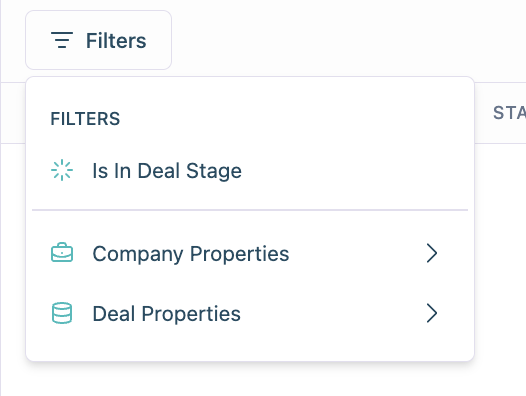
### Enhanced Filtering on Deals Page
You can now filter deals directly by **Deal Stage**, **Company Properties**, and **Deal Properties**, making it easier to narrow down the exact set of deals you want to analyze.
* **Deal Stage** filters apply strictly to deal stages (not funnel stages).
* **Company Properties** filters reflect the properties from your CRM
* **Deal Properties** filters target attributes specific to each individual deal.
These improvements give you more flexible and precise control over how you view and segment your deals.
## **Consistent Series Colors Across Dashboard**
We’ve improved color consistency across all charts in the dashboard.
Previously, series with the same label could appear in different colors depending on creation order. Now, colors are **mapped consistently**, so each label keeps the same color across all charts.
This makes it much easier to compare and interpret data across dashboards at a glance.
***
## Account Intelligence
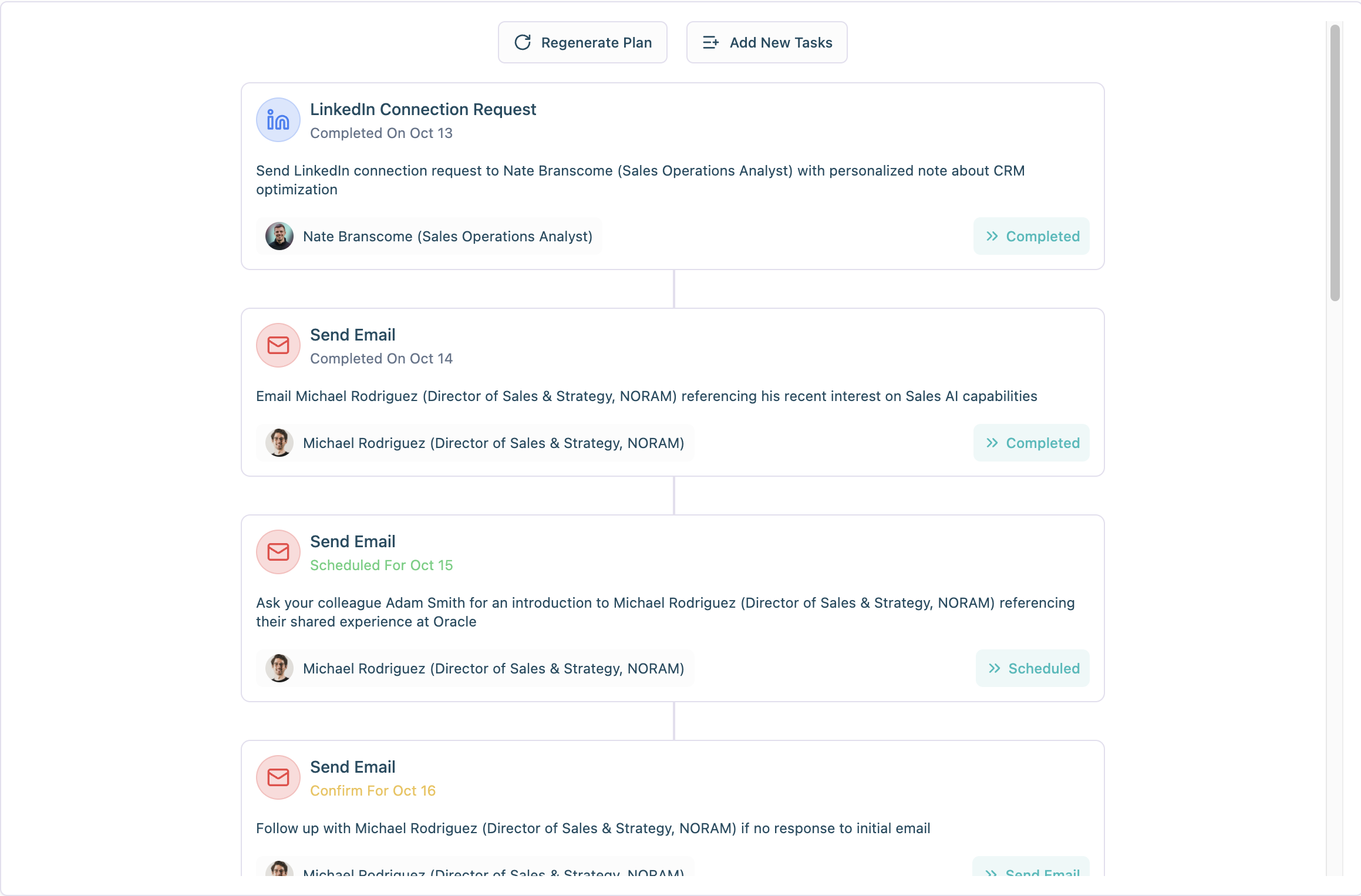
### Account Plan UI Revamp
We’ve redesigned the Account Plan section on the Single Company Page to make it more intuitive and visually polished. The new interface introduces a cleaner layout, better organization of to-dos, and an overall smoother user experience.
No changes were made to the underlying business logic — everything works exactly as before, just with a more advanced and user-friendly UI.
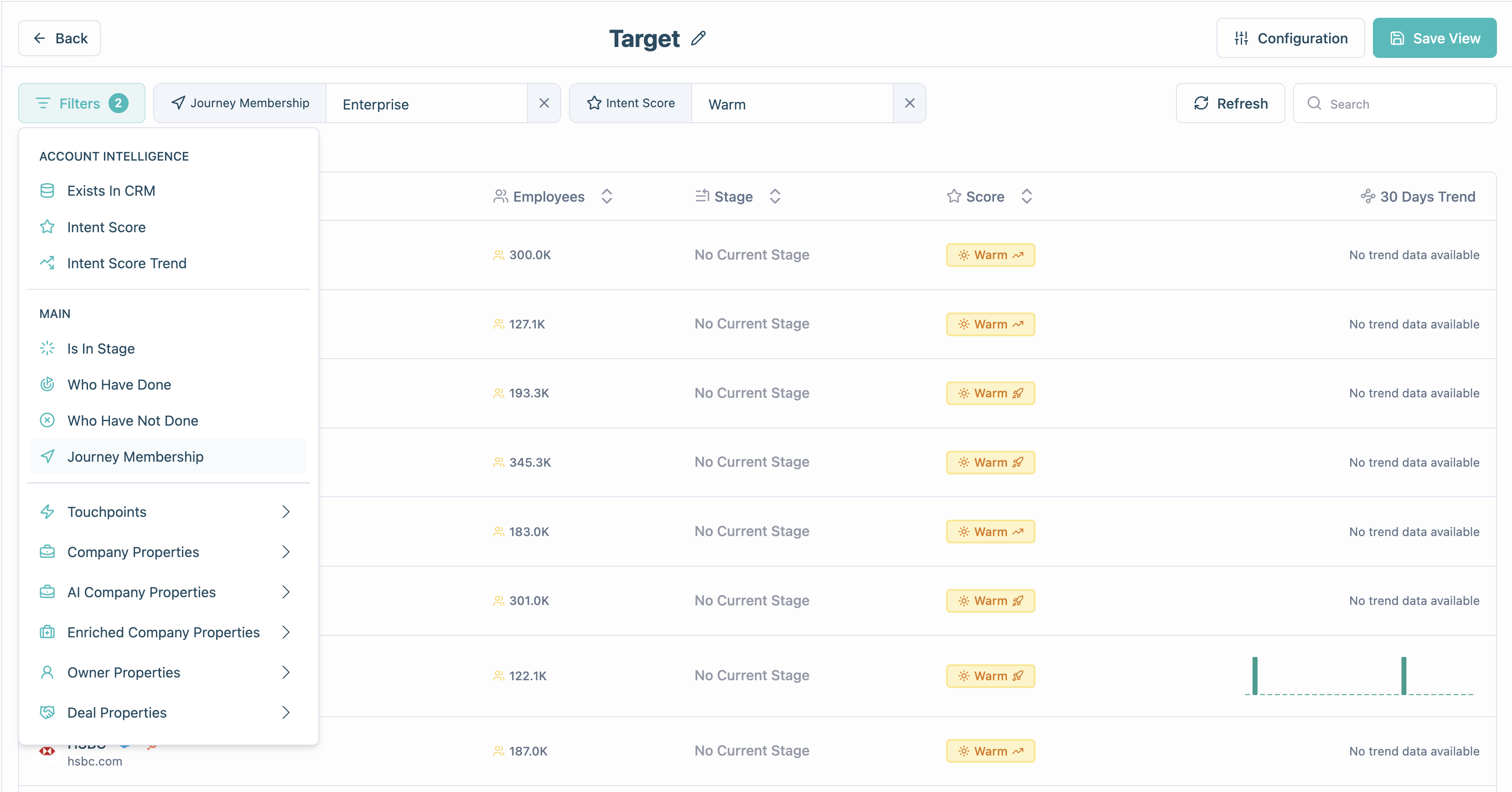
### New Journey-Based Filter in Sales View
You can now filter accounts and contacts in the Account Intelligence Sales View using existing journeys.\
Simply use the new **Journey Membership** filter and select the journey you want to filter by — making it easier to focus on the accounts that matter most.
---
# Agent Instructions
This documentation is published with GitBook. GitBook is the documentation platform designed so that both humans and AI agents can read, navigate, and reason over technical content effectively. Learn more at gitbook.com.
## Querying This Documentation
If you need additional information that is not directly available in this page, you can query the documentation by asking a question.
Perform an HTTP GET request on the following URL with the `ask` and `goal` query parameters:
```
GET https://docs.hockeystack.com/release-notes/2025/october-20-2025.md?ask=&goal=
```
`ask` is the immediate question: it should be specific, self-contained, and written in natural language.
`goal` is what the user is ultimately trying to achieve, the reason they need the answer. Sharing it helps GitBook give you a better, more relevant answer. A goal is most helpful when it describes the outcome the user wants rather than restating the question. For example, with `ask=how do I create an API token`, a goal like `automate deployments from our CI pipeline` lets GitBook tailor the answer to that use case.
The response will contain a direct answer to the question and relevant excerpts and sources from the documentation.
Use this mechanism when the answer is not explicitly present in the current page, you need clarification or additional context, or you want to retrieve related documentation sections.
.png?alt=media&token=c49ef89b-e023-44aa-8f98-75318ef6954d)